
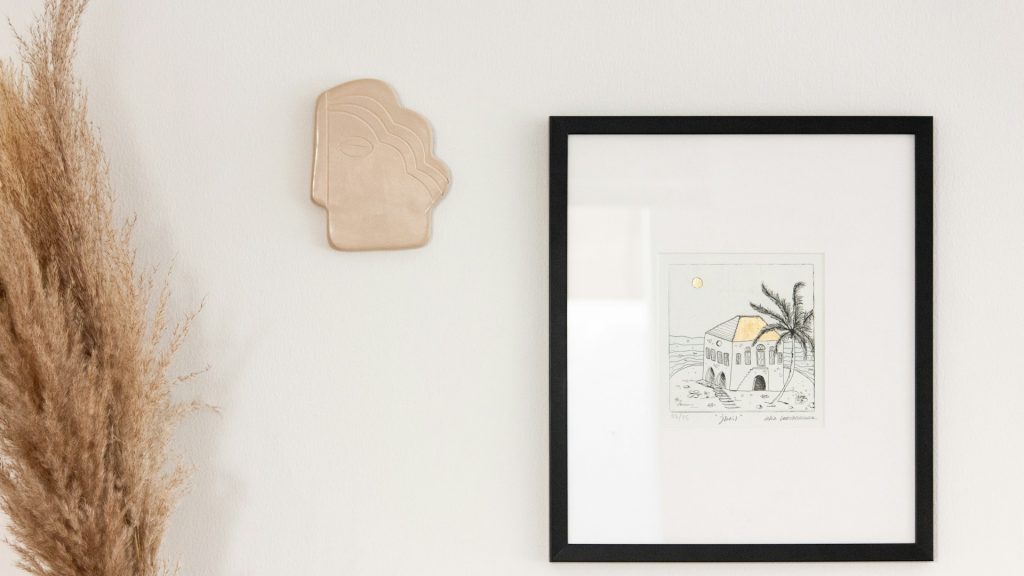
Art print and wall decor sellers deal with a photography problem that’s almost the inverse of most e-commerce categories: the actual product is often a flat rectangle of paper or canvas that looks essentially the same as dozens of other listings until it’s shown doing what it’s actually meant to do — hanging on a wall, inside a frame, in a room a buyer can imagine as their own. That mockup step isn’t a nice-to-have for this category, it’s close to the entire job of the product photo, which makes bulk editing here look meaningfully different from bulk editing a physical, three-dimensional product.
Why a Flat Print Needs a Mockup to Sell
A print on its own, photographed flat against a plain background, tells a buyer almost nothing about scale, how the colors will actually read on a wall, or whether the piece fits the kind of space they’re picturing. Wall decor sells on imagination as much as on the artwork itself — a buyer needs to see the print in a believable room context to judge whether it belongs in their own home, which is why mockup images consistently outperform plain flat product shots for this specific category in a way that isn’t nearly as pronounced for most other product types.
The Multi-Size, Multi-Frame Combinatorial Problem
Most art print sellers offer the same design across several sizes, and often across several frame or no-frame options, which means a single piece of artwork can require a dozen or more distinct product images once every size and frame combination is accounted for. Manually creating a separate mockup for every one of those combinations is an enormous amount of repetitive work for what is, visually, the same underlying artwork scaled and framed differently — exactly the kind of multiplicative, repetitive task that batch processing was built to eliminate.
Why Manual Mockup Creation Doesn’t Scale With a Growing Catalog
A seller adding new designs regularly faces this combinatorial problem fresh with every new piece of artwork — each new design needs its own full set of size and frame mockups before it can even go live. Handling this manually means mockup creation becomes one of the biggest bottlenecks between finishing a new design and actually being able to sell it, often adding days of tedious production work to what should be a straightforward listing process.
A Bulk Workflow for Print and Wall Decor Mockups
The practical approach starts with building a small set of reusable room-context templates — a few different wall settings, lighting styles, and frame options — that any new flat artwork file can be composited into automatically across an entire batch. A bulk image edit shopify workflow can push this same template set straight into new listings as designs get added, generating the full range of size and frame mockups a listing needs without manually recreating each combination by hand for every new piece. Edit multiple photos from a fresh batch of new designs into a complete, consistent set of mockups in one coordinated pass rather than treating each new artwork’s mockup production as its own separate project.
Keeping Color Accuracy Consistent Across Mockups
Color accuracy carries particular weight in this category, since a buyer choosing a print specifically to match their existing decor is relying heavily on the photo to represent the actual printed colors faithfully. A batch process that applies inconsistent color correction across different mockup templates risks showing the same artwork looking subtly different in each context, which undermines exactly the confidence a buyer needs before committing to a piece they’ll only see printed once it arrives. Testing color consistency across your template set before rolling out a new bulk workflow catches this kind of drift early, before it reaches dozens of live listings showing the same piece in inconsistent color.
Handling the Product Shot Alongside the Room-Context Mockup
Even in a category built around mockups, most art print listings still benefit from including at least one true, unstyled product shot showing the piece exactly as it will print, without a room context or frame styling that might subtly shift a buyer’s color expectations. Batch edit pictures to produce both this accurate flat product shot and the styled room-context mockups from the same source file, giving buyers both the imaginative context they need to picture the piece in their space and the accurate reference they need to trust the actual printed colors.
What to Look for in a Tool for Art and Wall Decor Photography
Because this category depends so heavily on compositing artwork into styled room contexts rather than simple background removal, it’s worth confirming a bulk picture editor supports genuine mockup templating — placing a flat image realistically into a frame and wall setting — rather than just isolating a product against a plain backdrop the way most general product photography tools are built to do. It’s also worth testing how well a tool preserves fine detail and true color in the artwork itself through the compositing process, since any softening or color shift undermines the one thing this category depends on most.
Comparing a Purpose-Built Workflow Against Manual Mockup Software
Many print sellers start out using general mockup generator tools one design at a time, manually uploading each new file, selecting a frame style, and exporting each size combination individually. This works fine for a handful of designs but becomes a genuine bottleneck once a catalog grows past a few dozen pieces, each needing its own multi-size, multi-frame mockup set. A bulk photo editor built to handle this as one coordinated batch process — rather than one manual mockup generation per design — is where the real time savings show up as a catalog scales past what any single person can reasonably keep up with by hand.
How Pixeroom Supports Art Print and Wall Decor Sellers
This is exactly the kind of repetitive, combinatorial mockup work Pixeroom is built to streamline. Upload a batch of new flat artwork files, and its bulk background remover and compositing tools generate consistent room-context mockups across your full range of sizes and frame options in one coordinated pass, rather than requiring a separate manual mockup for every single combination. Mass edit photos across an entire catalog of designs, keeping color treatment and mockup styling consistent whether a shopper is browsing a brand-new release or a design that’s been live for years.
To be clear about scope: Pixeroom edits and exports the images themselves. It doesn’t manage the actual print production or color-calibrate against a specific printer’s output — verifying that a mockup’s on-screen colors genuinely match what a buyer will receive once printed still requires checking against your actual print vendor’s output, since screen color and printed color rarely match perfectly without that verification step. What it removes is the repetitive manual burden of generating a full mockup set for every new design across every size and frame combination your store offers.
If your art print catalog currently has inconsistent mockup styling between older and newer designs, or new pieces take days to go live because mockup production is a manual bottleneck, that’s a solvable batch editing problem rather than an unavoidable cost of selling in this particular category. A properly built bulk workflow, tuned specifically for this category’s mockup-heavy needs, brings new designs to market faster and keeps the whole catalog looking like one consistent, professionally presented collection.
Building a Repeatable Process for Every New Design Drop
For sellers releasing new designs on any kind of regular schedule, it’s worth treating the bulk mockup pass as a fixed, standard step in the release process — finish the artwork, run it through the established template set, publish the full range of sizes and frames — rather than deciding fresh each time how much mockup effort a new design deserves. Building this habit once means every future release benefits automatically from a proven process, and a growing catalog stays visually consistent no matter how quickly new designs get added to it.
Handling Texture and Material Variety Across Print Types
Not every wall decor product is a simple flat paper print — canvas prints have visible texture, metal prints have a distinct sheen, and framed pieces add glass reflections and frame material into the mix. A bulk image background remover and compositing process needs to account for this variety rather than treating every product as an identical flat rectangle, since a canvas print’s texture or a metal print’s reflective quality is often part of what a buyer is specifically paying a premium for, and a mockup that flattens that texture away misrepresents the actual product a customer will receive.
Coordinating Mockups Across Multiple Sales Channels
Many art print sellers list the same designs across their own Shopify store, a marketplace like Etsy, and sometimes a print-on-demand fulfillment platform, each with its own image size and format requirements. Building one master mockup set per design and then exporting channel-specific versions from that same source, rather than recreating mockups separately for each platform, keeps a design’s presentation consistent everywhere a buyer might discover it while still meeting each channel’s specific technical requirements.
Why Seasonal and Trend-Driven Collections Add Time Pressure
Wall decor sells heavily on design trends and seasonal themes — a particular color palette in vogue for a season, holiday-specific artwork with a short selling window — which means new collections often need to go from finished artwork to fully mocked-up, live listings very quickly to catch a trend or season while it’s still relevant. A slow, manual mockup process is a genuine liability here, since a design that takes a week to reach every size and frame combination may miss a meaningful portion of its most relevant selling window entirely. A tested, reliable bulk workflow turns what would otherwise be a bottleneck into a routine step that keeps pace with how quickly this category’s trends actually move.
Auditing an Existing Catalog for Mockup Consistency
Sellers who’ve been in this category for a while often accumulate a catalog with visibly inconsistent mockup styling — early designs shot against a simple frame template, more recent ones using a fuller, more polished room-context style developed later. It’s worth a periodic audit specifically checking whether older designs still use an outdated mockup style, since a buyer browsing a full catalog notices this kind of drift even if they can’t quite articulate why some listings feel more professional than others. Bulk edit images retroactively across the older layer of a catalog, applying the current mockup template to designs that already have perfectly good underlying artwork behind an outdated presentation, closes this gap without requiring any new photography or artwork production.
Why Trust Matters When a Buyer Can’t Touch the Product
Buying art or wall decor online means committing to a piece sight unseen, in person, based entirely on how well a photo represents it. This makes visual consistency across a catalog do real trust-building work beyond simple aesthetics — a shopper who sees the same careful mockup standard applied across every design in a store is more likely to believe that standard extends to the print quality and materials themselves, even before the piece physically arrives. A scattered, inconsistent catalog quietly raises the opposite doubt, regardless of how good the actual prints turn out to be once unboxed.
Building that consistent standard once, through a proven bulk workflow, is a far more efficient path to earning that trust at scale than trying to recreate it design by design, especially as a catalog grows past the point where any one person can manually track every mockup’s styling by memory.
For a category built almost entirely on imagination and imagery rather than physical inspection, that trust dividend is worth treating as seriously as the artwork itself.
It shapes the very first impression a prospective buyer forms of the brand, long before any print ever ships.
Get the mockup consistency right once, and every new release inherits that trust automatically instead of having to earn it all over again.
That’s the real payoff of treating mockup production as infrastructure rather than a one-off task for each release.