
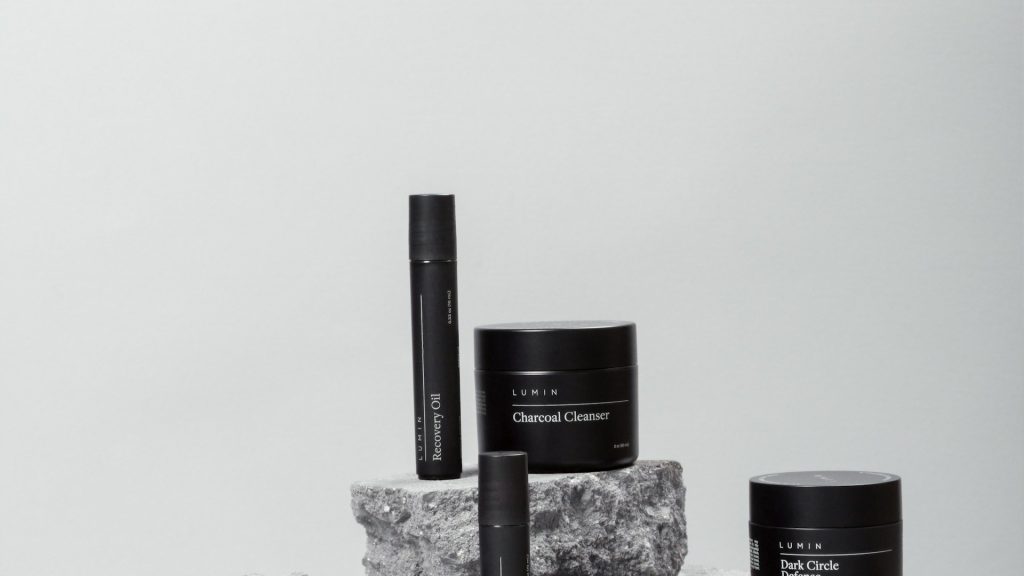
Curated commerce runs on a kind of photography math that most single-product sellers never have to think about. A bundle seller doesn’t just photograph a product — they photograph a product, and then the set it belongs to, and then possibly the set again alongside two other sets it can be combined with. A skincare kit with five components isn’t five photos or even six; it’s five individual product shots, one full assembled bundle shot, and often a handful of alternate groupings for cross-sell listings, all of which need to look like they belong to the same coherent brand. This doubled, sometimes tripled photo math is one of the more underappreciated workload multipliers in e-commerce, and it rarely gets discussed the way single-product catalogs do.
Why Bundle Sellers Have Two Catalogs to Maintain, Not One
Every bundle or curated set effectively requires two parallel photo catalogs that have to stay visually consistent with each other: individual component photos, used for cross-selling, SEO on standalone product pages, and comparison shopping, and the assembled bundle photo, used as the primary hero image for the kit itself. These aren’t optional duplicates — component photos genuinely matter for search visibility and for buyers researching a specific item before committing to the full bundle, while the bundle photo is what actually sells the curated experience. Treating either one as secondary tends to hurt conversion somewhere in the funnel, but maintaining both, consistently, at the same visual standard, is exactly where the workload compounds.
Keeping Individual Component Shots Consistent With the Bundle Hero Shot
The subtler problem is that these two layers of photography need to look like they were shot by the same brand, using the same visual language, even though they’re technically different compositions — one item alone versus five items arranged together. If the individual component shots use one backdrop and lighting style while the bundle hero shot uses something completely different, a buyer clicking from the bundle listing into an individual component’s product page experiences a jarring visual inconsistency that undermines trust in the whole catalog, even if nothing about the actual products has changed. Getting this right means applying the same background, lighting treatment, and framing logic across both layers, which is very difficult to do consistently by manually editing each layer separately.
The Monthly Reset Problem for Subscription Boxes
Subscription box sellers face an even sharper version of this problem, because the entire lineup often changes every single month. A new curation means new individual component photos for items never sold before, a new bundle hero shot showing this month’s specific combination, and often archival photos of past months’ boxes that still need to look consistent with the brand even though they’re no longer current. Doing this manually, every month, on a recurring deadline that doesn’t move regardless of how busy the rest of the business gets, is one of the more grinding recurring workloads in subscription commerce — and it’s exactly the kind of repetitive, deadline-bound task that benefits most from being treated as a batch process rather than a fresh manual project every cycle.
A Bulk Workflow for Component + Bundle Photography
The fix starts with establishing one consistent background and framing standard that applies to both layers of photography — component shots and bundle shots alike — so that whichever one a shopper happens to land on first, it visually matches everything else in the catalog. A bulk background remover applied across both the individual component photos and the assembled bundle photo in the same batch pass means there’s no risk of the two layers drifting apart visually, because they’re processed together, under identical settings, rather than edited as two separate projects that happen to aim for the same look.
For subscription sellers specifically, this means the monthly reset stops being a full photography project and becomes a recurring batch job: shoot this month’s new components and the assembled box in one session, then edit multiple photos from that session together as a single batch, rather than treating individual items and the bundle shot as separate editing tasks with separate timelines. The monthly deadline doesn’t change, but the amount of manual work required to hit it shrinks dramatically once both layers move through the same consistent process together.
Handling Items That Repeat Across Multiple Bundles
Bundle sellers often reuse the same individual component across several different kits — a base moisturizer that appears in three different skincare sets, say. It’s worth maintaining a single master edited version of that component’s photo rather than re-editing it separately every time it appears in a new bundle context, since the item itself and its presentation haven’t changed just because it’s being sold in a new grouping. A bulk picture editor that keeps a library of already-processed component photos, ready to drop into new bundle combinations without needing to be re-edited from scratch, saves real time as a catalog’s number of bundle combinations grows — and it keeps that recurring component looking identical everywhere it appears, rather than picking up small inconsistencies each time it gets touched again.
What to Look for in a Tool for Multi-Item Photography
Multi-item and bundle photography puts a specific demand on an editing tool that single-product catalogs don’t: the ability to handle both a single isolated object and a grouped arrangement of several objects within the same consistent visual system. It’s worth checking whether a tool can bulk edit images across both layers using a shared background and lighting treatment, rather than requiring completely separate settings for solo shots versus grouped shots. Because bundle contents change frequently, especially for subscription models, a batch background remover that’s genuinely fast to reconfigure for a new month’s lineup matters more here than for catalogs where the same products stay static for years at a time. Speed of setup, not just speed of processing, is what actually determines whether a tool fits a monthly reset cycle.
It’s also worth testing whether a tool can remove multiple image background cleanly when several distinct objects are arranged together in one frame, which is a meaningfully harder task than isolating a single product — overlapping items, varied shapes, and multiple edges all need to be handled correctly in the same pass for a bundle hero shot to look clean rather than awkwardly cut out.
Testing the Workflow Before a Launch Deadline
Because subscription boxes run on a fixed monthly cycle that doesn’t bend for a photography backlog, it’s worth testing a bulk background remover free trial against a past month’s actual component and bundle photos well before the next cycle’s deadline arrives, rather than discovering mid-cycle that a tool doesn’t handle grouped bundle shots the way solo product shots get handled. A trial run with no time pressure reveals exactly what a new workflow can and can’t do; the same discovery process happening three days before a box needs to ship is a much worse time to learn a tool’s limitations.
Archiving Past Months Without Letting Them Look Dated
Subscription sellers often keep past months’ box photos live on the site as social proof or in a gallery of previous curations, and it’s worth applying the same consistency standard retroactively rather than letting older months visibly show an earlier, less polished editing style. A bulk photo editor makes this kind of archival cleanup realistic: reprocess a backlog of past bundle photos in one batch job whenever the current visual standard changes, rather than leaving a gallery of past boxes that quietly reveals how the brand’s presentation has evolved unevenly over time. A prospective subscriber scrolling through past months should see one consistent brand throughout, not a visible timeline of gradually improving photo quality.
Keeping the Whole Catalog in Sync as Bundles Change
Because bundle contents shift so often, it’s worth building a habit of running the full active catalog through the same batch settings periodically, not just newly launched bundles. Sellers who mass edit images only when something is new sometimes let older, still-active bundles drift out of sync with the current visual standard simply because nobody revisited them after the initial launch. A quarterly pass across every currently active bundle and component, checked against whatever the current standard looks like, keeps the whole catalog in step rather than letting consistency only apply to the newest layer of listings.
How Pixeroom Helps Bundle and Subscription Sellers Keep Pace
This is exactly the kind of dual-layer catalog Pixeroom is built to support. Upload both individual component shots and assembled bundle photos from the same shoot, and its background removal and centering tools process everything under one consistent standard, whether the frame contains a single item or a grouped arrangement of several. Edit multiple pictures at once from a full monthly shoot — components and bundle shots together — and the entire lineup comes out visually unified, on the same backdrop, at the same quality, without treating the two layers as separate editing projects with separate timelines.
To be clear about scope: Pixeroom edits and exports the images themselves. It doesn’t manage subscription logistics, curate box contents, or publish listings to a storefront — those decisions remain with the seller. What it removes is the doubled photo workload that comes from maintaining component and bundle photography as two visually consistent layers, which is one of the least visible but most persistent recurring costs in bundle and subscription commerce.
If your bundle or subscription catalog has been treating component photos and bundle hero shots as two separate projects, it’s worth bringing them into one consistent batch process instead. The monthly deadline isn’t going away, but the manual editing burden behind it doesn’t have to keep growing every time the lineup changes, and a consistent visual standard across both layers is one of the simplest ways to make a curated catalog feel genuinely put-together rather than assembled in a rush every single month.
There’s also a marketing benefit to getting this right that goes beyond the photos themselves. A subscription box that photographs consistently well every single month, even under recurring deadline pressure, becomes a much easier thing to promote through unboxing content, social previews, and past-month galleries, because there’s no risk that a rushed month produces noticeably worse photography than a calmer one. Consistency at the photo level quietly becomes consistency at the brand level, and for a subscription business that depends on retention as much as it depends on new sign-ups, that kind of dependable presentation is worth more than it might initially seem.
Planning the Next Month While Finishing This One
Because the monthly cycle never really stops, it helps to think of photo editing less as a discrete task that finishes and more as a rolling process that overlaps with the next cycle’s planning. While this month’s box photos are being finalized and published, next month’s component list is often already taking shape, which means a batch-based workflow can start staging backdrop and framing settings for the upcoming cycle well before the actual shoot happens. Sellers who treat each month as a completely separate project, starting from zero every time, end up recreating the same setup decisions over and over; sellers who treat the whole thing as one continuous rolling batch process carry momentum from one cycle into the next, and the recurring deadline stops feeling like it resets to zero every single month.
That shift, from a monthly scramble to a rolling habit, is often the single biggest quality-of-life improvement a subscription-box team can make to how photo editing fits into the rest of the business.
It replaces recurring dread with a process the team already trusts, cycle after cycle.
For a business built entirely around repeat delivery, a photo workflow that also repeats reliably every month is worth building deliberately rather than leaving to chance.
It’s a small operational investment with a payoff that compounds every single cycle.